
Best App to Make Your Own Flashcards? Choose by Workflow, Not Rankings
Published
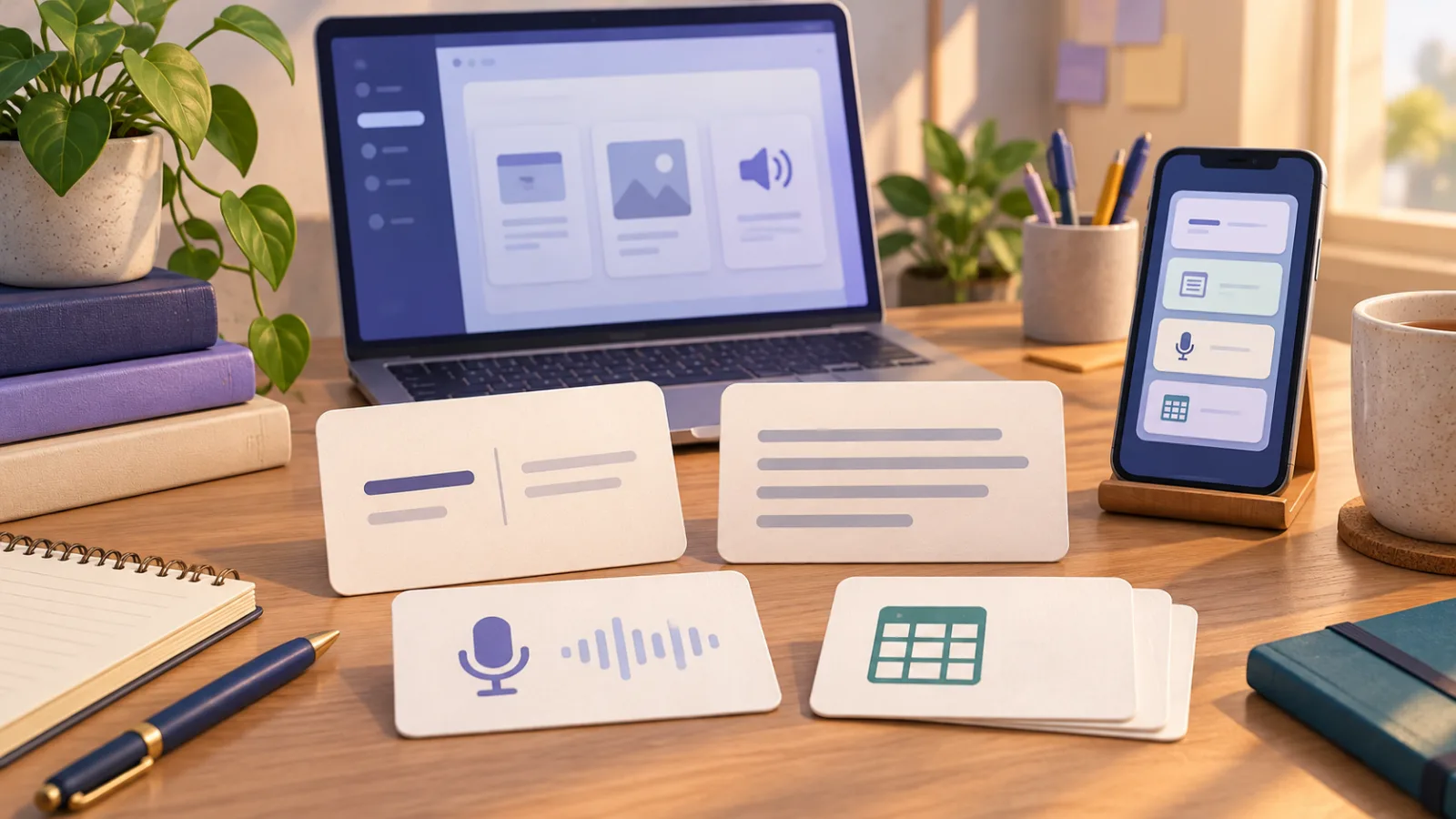
The best app for making your own flashcards depends on four decisions: what you will save, how many cards you will add, whether you need to see, hear, or speak the material, and whether you must export it later. Anki suits large collections and detailed scheduling; WordHolic suits straightforward mobile cards with audio and images; Quizlet suits shared sets and varied study modes; SpeakGain suits a small stream of English phrases you want to hear, say, and optionally check for pronunciation.
We checked each product’s official site, help pages, store listing, or current implementation on September 18, 2026. Features, free limits, and prices can change. Before moving a collection, build ten real cards and complete one review session on your own device.
Make four choices before comparing features
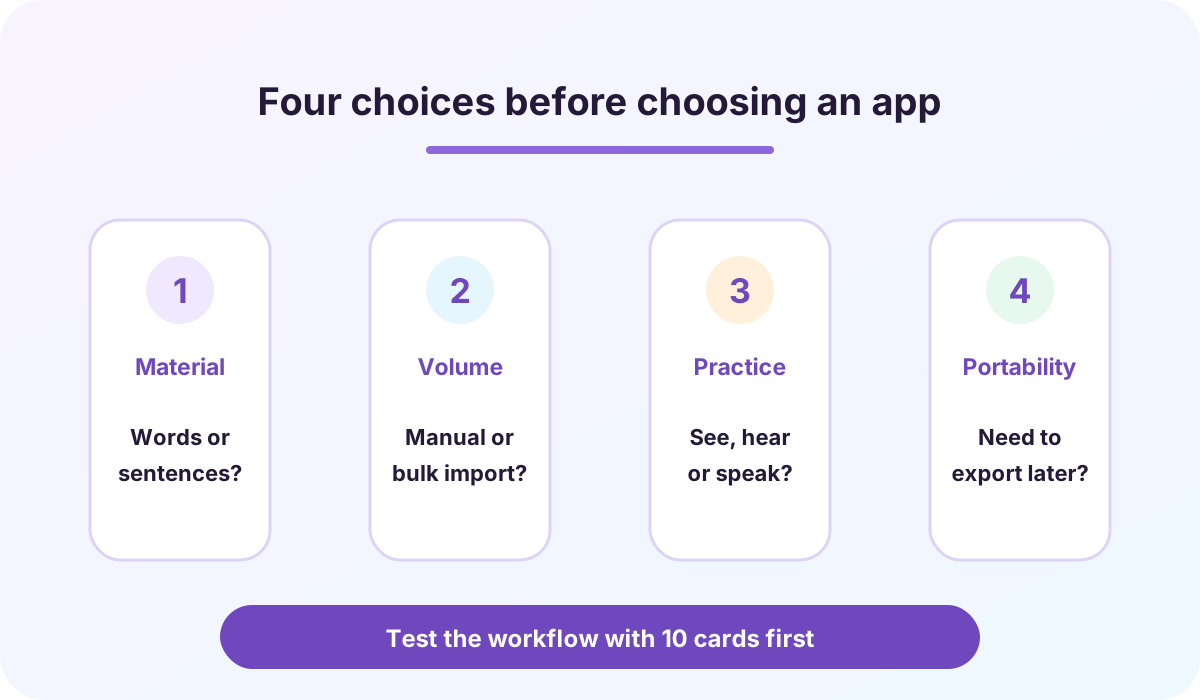
Material. A word-definition pair is enough for many exams. Phrases collected from films, games, reading, work, or conversation need room for a complete sentence and its context.
Volume. Adding one to three items by hand is different from moving hundreds of rows from a spreadsheet. If you already have a list, treat text or CSV import as a requirement.
Practice. Text-to-speech, recording your voice, and automatic pronunciation assessment are separate features. Decide whether you only want to review meaning, listen, produce the phrase, or inspect feedback on your speech.
Portability. If the collection may outlive the app, test export or backup before investing time. Sync between devices does not necessarily mean you can move the data elsewhere.
Anki, WordHolic, Quizlet, and SpeakGain compared
Yes means we verified the feature for this use case. Conditional means platform, plan, or setup matters. Not verified means we did not find it in the official material inspected or the current SpeakGain implementation; it is not a claim about every future version.
| Need | Anki | WordHolic | Quizlet | SpeakGain |
|---|---|---|---|---|
| Create your own cards | Yes | Yes | Yes | Yes |
| Sentences and phrases | Yes, custom fields | Yes, sides and notes | Yes, terms and definitions | Yes, enter an English phrase |
| Audio | Yes, media and TTS setup | Yes, 30-language TTS | Conditional, supported-language TTS | Yes, generated English audio |
| Automatic pronunciation assessment | Not verified | Not verified | Not verified | Yes, optional and online |
| Images | Yes | Yes | Conditional by image type and plan | Not available |
| Bulk import | Yes, text files and more | Yes, files | Yes, text on the web | Not available |
| Export or backup | Yes | Yes | Conditional, your own text sets on the web | Not available |
| Scheduled review | Yes, including FSRS | Yes, described as repeated review | Conditional by mode and plan | Yes, based on practice history |
| Main platforms | Desktop / Web / iOS / Android | iOS / Android | Web / iOS / Android | iOS / Android |
| Payment model | Free desktop, web, Android; paid iOS app | Free with in-app purchases | Free with Plus plans | Subscription |
Checked September 18, 2026. The compared companies are not affiliated with SpeakGain. Confirm current availability and terms in your region before buying or migrating.
Choose Anki for bulk data and detailed control
Anki’s official site describes free desktop apps, AnkiWeb sync, support for audio, images and video, customizable card layouts, and review timing. AnkiDroid is a free Android client maintained by a separate team; AnkiMobile is the paid official iOS app.
The official manual covers UTF-8 text import, including comma- or tab-separated fields, and text or packaged export. It is a strong option when you already have hundreds of rows, need custom fields, or want a portable collection. That flexibility also creates setup work. If your only goal is to add a sentence and speak it immediately, decide whether you need the extra configuration.
Choose WordHolic for simple mobile cards with audio and images
WordHolic’s official Google Play listing describes front, back, and comment fields, images, text-to-speech in 30 languages, quizzes, flags, file import, and backups. It is available on iOS and Android, starts free, and offers paid upgrades.
It fits learners who want familiar two-sided cards, spoken text, pictures, and a way to prepare data on a computer. We did not verify automatic pronunciation scoring in the official listings inspected. If speaking feedback matters, check the current app rather than treating “audio” as the same feature.
Choose Quizlet for shared sets and several study modes
Quizlet lets you make term-definition sets and search sets created by others. Its official flashcard help describes flipping, shuffling, autoplay, and text-to-speech for supported languages. Image options and advanced features depend on source and plan.
According to Quizlet’s export help, creators can export terms and definitions from their own sets on the website, while images are not exported. Quizlet makes sense when sharing, public material, and multiple activity types matter. Check visibility settings and current Plus limits when you create a set.
Choose SpeakGain when the card should lead to speaking
The selection method above works without SpeakGain. If you collect a few English sentences from videos, games, books, work, or daily life and want to hear and produce those sentences, SpeakGain is another option. We build it, so we are disclosing that relationship plainly.
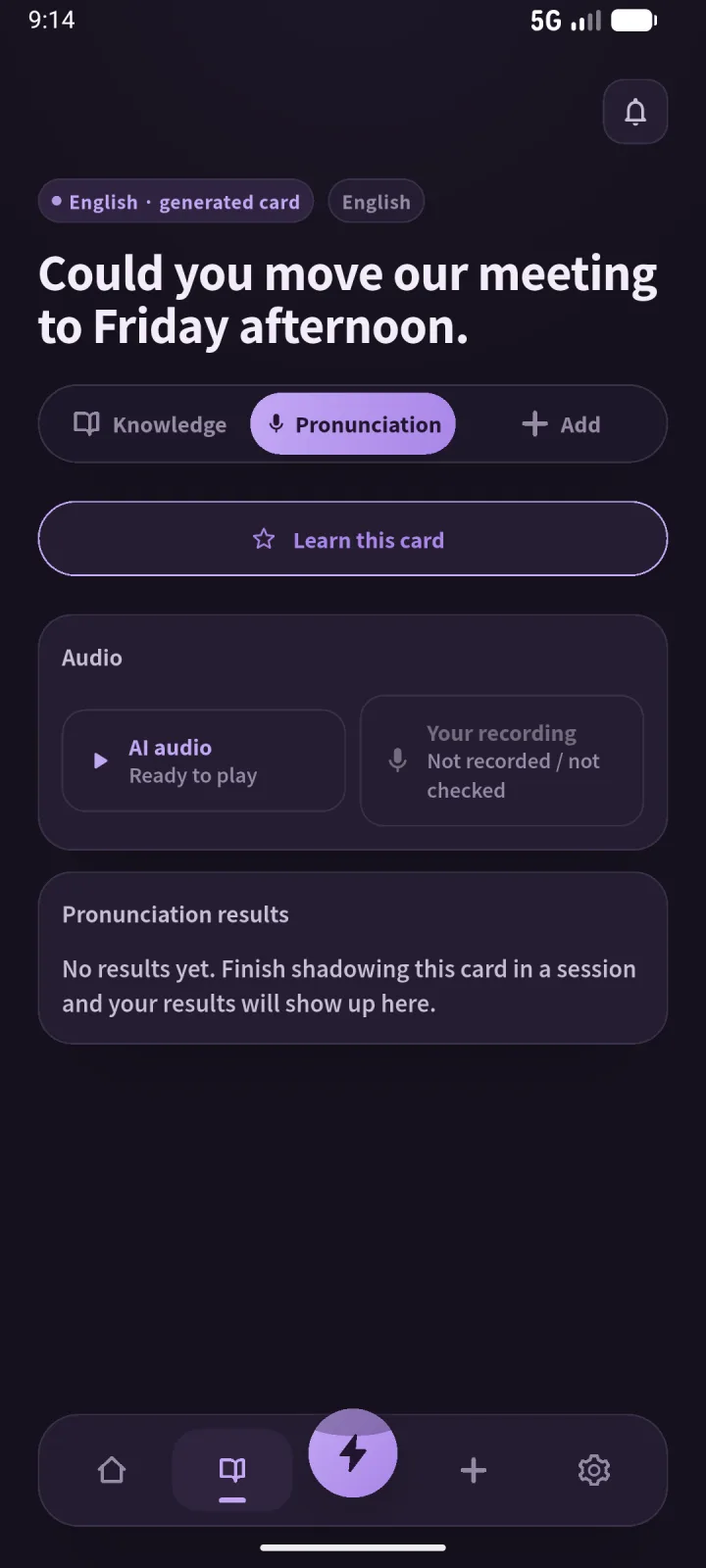
You enter English text to create a card with generated English audio and AI explanations of meaning, structure, paraphrases, and related patterns. You can listen, say the sentence, and optionally use online pronunciation assessment. Practice history helps select later review items.
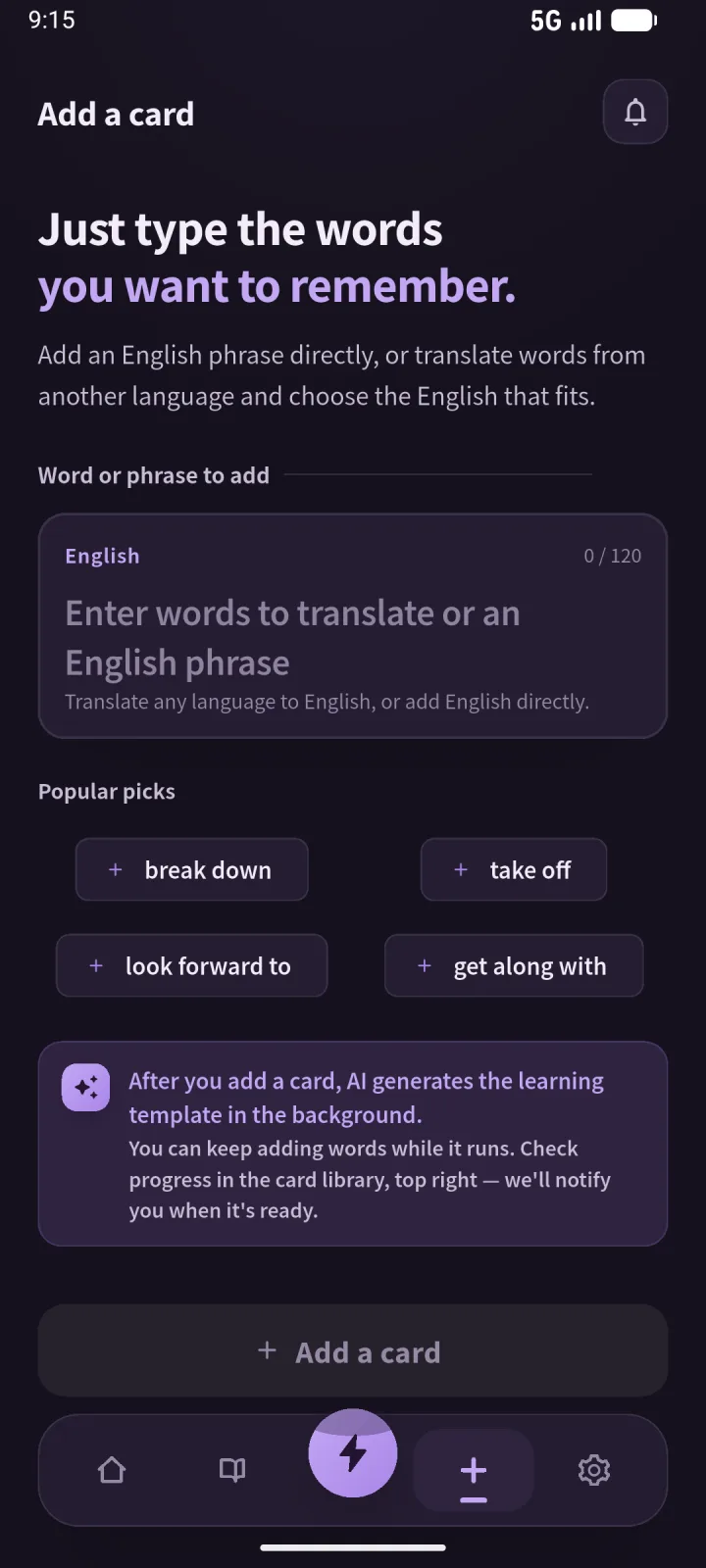
SpeakGain is not a bulk migration tool. As checked on September 18, 2026, it does not offer CSV import or export, image attachments, or a public-set library. Choose Anki, WordHolic, Quizlet, or another tool first when those are requirements. SpeakGain is a subscription app for iOS and Android; check the store for current price and trial eligibility.
Run a ten-card test before committing
- Pick five real words and five real sentences you want to learn.
- Add one image if images matter, and test audio or recording on one card.
- Review all ten the next day and notice how answers are rated and rescheduled.
- Sync to another device if that is part of your routine.
- Export or back up the set if long-term ownership matters.
The useful measurement is not only how quickly you can create a card. Complete the path from finding material to entering it, reviewing it, and taking it out again. A step that is annoying with ten cards becomes a serious cost with hundreds.
Save a sentence when you want to use the language
For an exam, postpone — delay until a later time may be enough. For a meeting, a sentence such as Could you move our meeting to Friday afternoon? preserves word choice, politeness, and order. Use word cards for compact fact review and sentence cards for expressions you want to understand and produce. Turning every item into a long sentence only makes entry and review heavier.
Frequently asked questions
Can I start with a completely free flashcard app?
Yes, but “free” may include limits on ads, sync, images, activities, or card counts. Build ten cards and check whether the workflow you need crosses a paid boundary. Anki also differs by platform: desktop, web, and Android are free, while the official iOS app is paid.
Does audio support mean pronunciation practice?
No. Listening to text-to-speech, recording yourself, and receiving an automatic pronunciation assessment are separate capabilities. Decide which of those you actually need.
Should I import hundreds of cards immediately?
Test ten first, including review and export. Discovering a poor fit before migration costs much less than rebuilding hundreds of cards.
Are all apps with “Anki” in the name part of Anki?
No. Anki’s official FAQ identifies the ecosystem as Anki, AnkiMobile, AnkiDroid, and AnkiWeb. Follow links from the official Anki site to avoid similarly named products.
Summary
- Choose by material, entry volume, practice mode, and portability.
- Use Anki for bulk import, custom structure, and detailed scheduling.
- Use WordHolic for straightforward mobile cards with speech and images.
- Use Quizlet for shared material and varied activities.
- Consider SpeakGain for a few personal English phrases you want to hear, say, and optionally assess.
- Test ten cards from entry through review and export before moving a collection.
Official sources
- Anki: official site, text import, export, deck options
- WordHolic: Google Play, App Store
- Quizlet: Flashcards help, adding images, exporting sets
- SpeakGain: official site