
8 English diary apps and writing tools: what you can use free
Published Updated
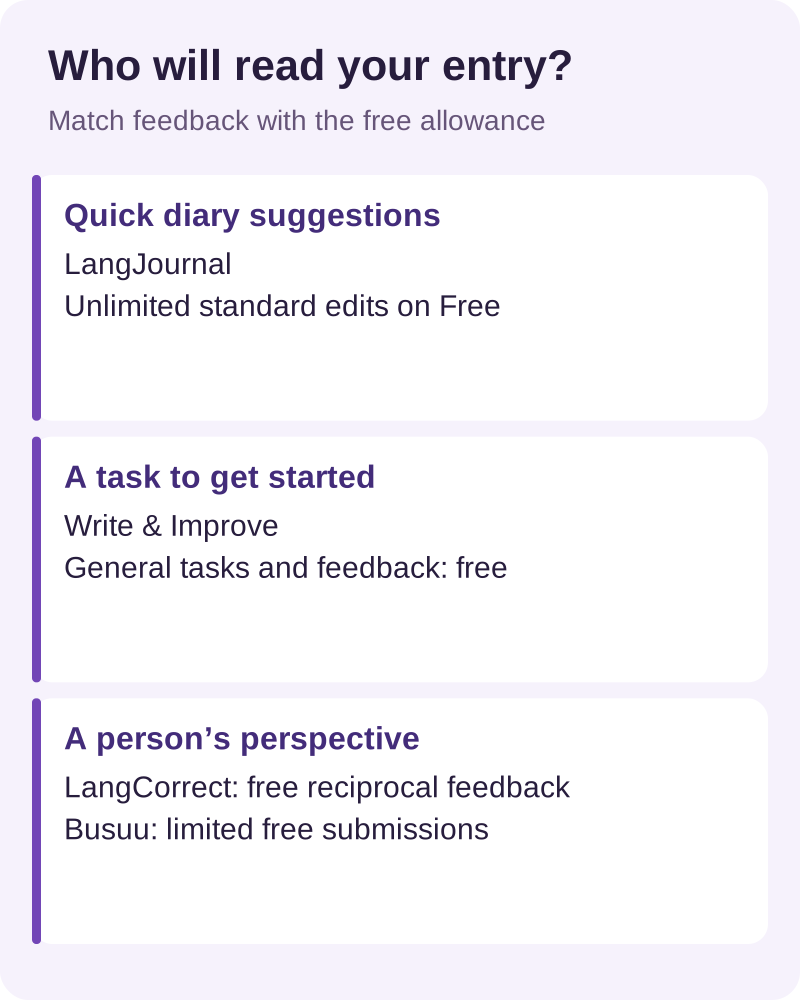
Choose LangJournal for quick suggestions on a short English diary, Write & Improve for writing tasks, or LangCorrect for feedback from other people. Busuu suits learners who want writing exercises inside a language course. If your main problem is finding a place to keep entries, Day One can handle the journal while you check selected sentences elsewhere.
This guide is for people learning English, from a first short entry to a paragraph about their day. The comparison of other products uses their official descriptions and plan information. Pick the tool for the step you need today: drafting, checking or practising a sentence aloud.
Eight options and their free limits
| Tool | Role | Free boundary |
|---|---|---|
| LangJournal | AI edits | Standard edits unlimited |
| Write & Improve | Automatic feedback | General tasks free |
| LangCorrect | Community | Core exchange free |
| Busuu | Course + community | Free access; submissions limited |
| HelloTalk | Partners | Basic exchange free |
| Grammarly | Automatic checks | Basic grammar and spelling |
| Day One | Journal | Unlimited text in Basic |
| SpeakGain | Speaking | Check store purchase terms |
Checked 15 November 2026. Follow the plan links below for the boundary between recurring free features and paid upgrades; check the terms shown in your own market before subscribing.
Match the tool to your next entry
LangJournal: revise a diary while the event is fresh
You have already decided what to write: perhaps an unexpected delay changed your afternoon. LangJournal makes sense when you want to put that event into a few sentences and examine an edit soon afterward. Its current plan comparison lists unlimited standard diary corrections, one advanced correction a week, and three daily uses each of translation, explanations and standard AI questions on Free.
The explanation allowance is separate from the correction allowance. Choose the change you most want to understand, then keep a brief note about its reason. Premium removes ads and expands access. The service offers web access and iOS and Android apps.
Write & Improve: start with a task rather than a blank page
Cambridge’s Write & Improve gives you level-based tasks, automatic feedback and a chance to revise and submit again. You can also create a task of your own. The free tool works without registration; a profile lets you save work and access more tasks.
For a diary learner, a useful starting point is a topic you can answer from experience. Write your own first attempt, inspect one highlighted problem and revise it. The CEFR-linked result gives you another piece of feedback to consider alongside the actual wording. Test Zone products are separate from the general free practice tool.
LangCorrect: exchange corrections with people who read your entry
LangCorrect centres on journals corrected sentence by sentence by community members. You contribute corrections in your own language as well. Its core exchange is free, and community prompts can help when you run out of subjects.
This is a good fit when you can spend a little time helping someone else and can wait for a response. Add a short note about the meaning you intended. If two people suggest different wording, ask what changes in tone or meaning instead of collecting both as interchangeable answers.
Busuu: write within a course and ask the community
If you would rather practise a topic after a lesson, Busuu connects course work with feedback from other learners. The Free plan includes courses and community access. Paid plans add features such as grammar and vocabulary review, offline use and ad-free learning.
The community correction guide distinguishes limited submissions for free members from unlimited submissions for Premium members, with priority for paid members. Choose it for course-linked exercises; for a free-form journal that you manage yourself, LangCorrect or LangJournal is a closer fit.
HelloTalk: use a small part of your diary to begin an exchange
You might want a reply about the event as well as help with the English. HelloTalk lets language partners correct messages and Moments posts. Its basic language exchange is free; VIP includes ad removal and unlimited translations.
Publish a short, non-sensitive observation, such as your impression of a meal, and invite a correction. Keep the rest of your personal diary elsewhere. This works best when you also want the conversation that may follow a post.
Grammarly: check a draft in the writing space you already use
For someone who can produce a draft but wants help spotting language issues, Grammarly Free includes basic spelling and grammar suggestions. Pro adds full-sentence rewriting and tone adjustments.
Use the suggestions to inspect your own wording before accepting a larger rewrite. A sentence that sounds more formal may be less suitable for the friendly diary entry you intended. Start with the spelling or grammar point you can explain, then reread the whole sentence.
Day One: keep the journal separate from the correction service
Day One Basic includes unlimited text entries and journals, daily prompts and templates. Silver adds use across devices and audio recording. Its role here is to keep a reliable place for your writing.
A small template can be enough: one event, followed by your reaction. Copy only the sentence you want checked into a correction tool. That keeps your private record from becoming a document you routinely send to several services.
Check an AI edit: meaning, change, reason
Before adopting a polished version, compare it with the event you meant to describe. Our practice sentence is “I watered my plants before breakfast.”
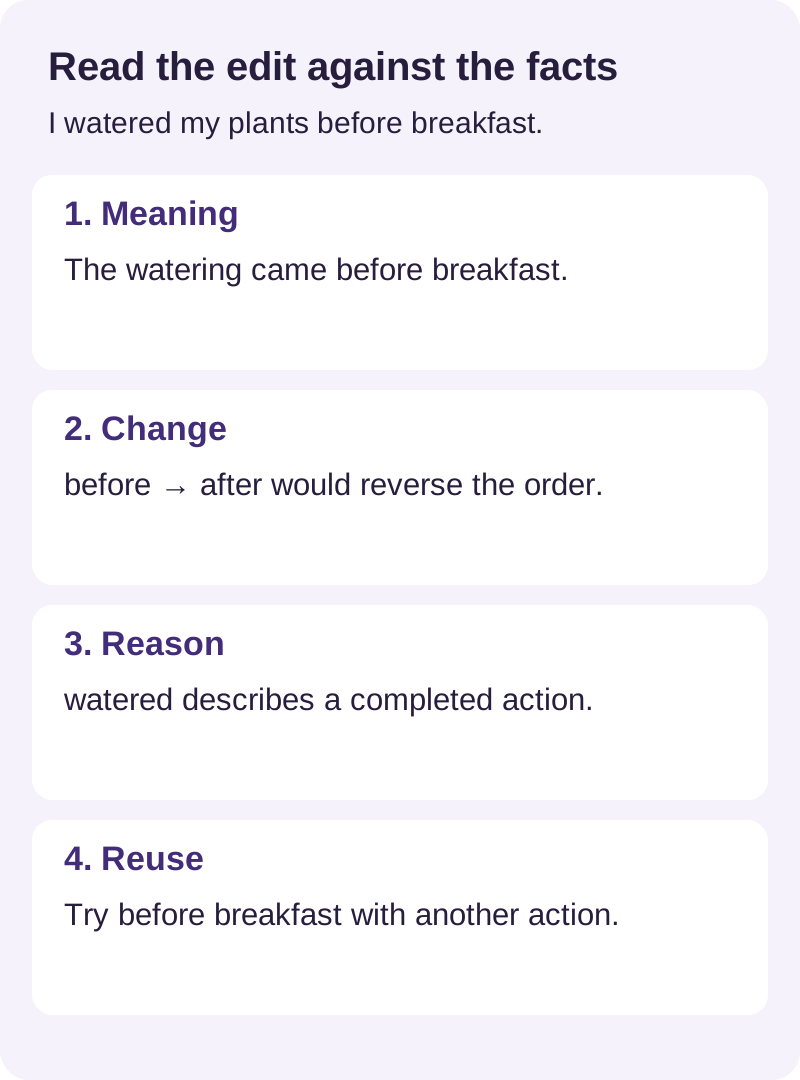
- Name the facts. The speaker watered plants, and breakfast happened afterward.
- Inspect the changed words. Replacing before with after would alter the event, even if the new sentence were grammatical.
- Find a reason you understand. The ending in watered fits a completed action; the British Council’s past simple guide explains this use. Ask a teacher about changes you cannot resolve from a reference.
- Try the useful part again. Use before breakfast with a different action from your day. You are practising the relationship between events, rather than copying a whole corrected paragraph.
Remove personal details before submitting
Leave out names, addresses, customer information and precise plans that reveal where someone will be. A diary about a difficult work conversation can expose confidential information even after names are replaced. Choose an ordinary, shareable event for correction practice.
Check the service’s retention, sharing and deletion rules. For example, HelloTalk’s privacy policy covers its social features; an entry copied from a private notebook takes on the rules of its new destination. Read those rules before sharing it.
SpeakGain: give one written sentence a speaking turn
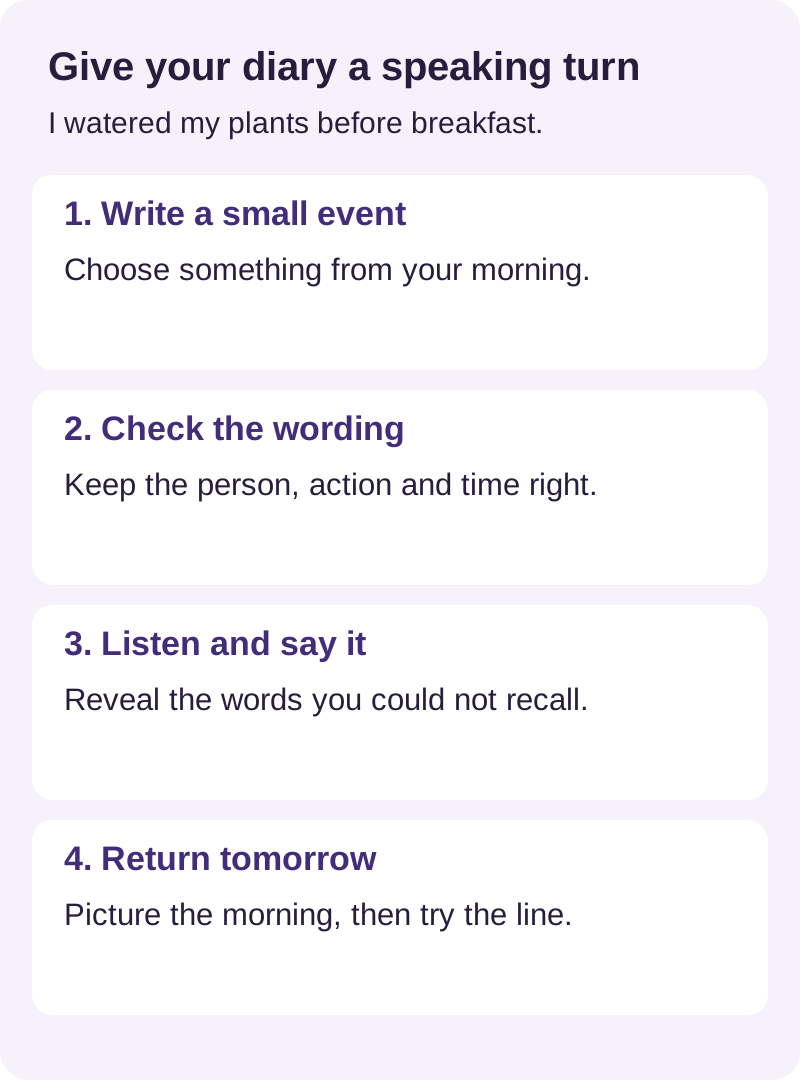
SpeakGain, our product, is an option for the moment after you have checked the English. It lets you keep selected phrases for listening and speaking practice. The product guide shows how chosen sentences become practice cards with character voices.
Imagine someone asks what you did before breakfast. The plant-watering sentence is a small enough answer to practise without learning your entire diary by heart. Keep that one sentence ready for a speaking session.
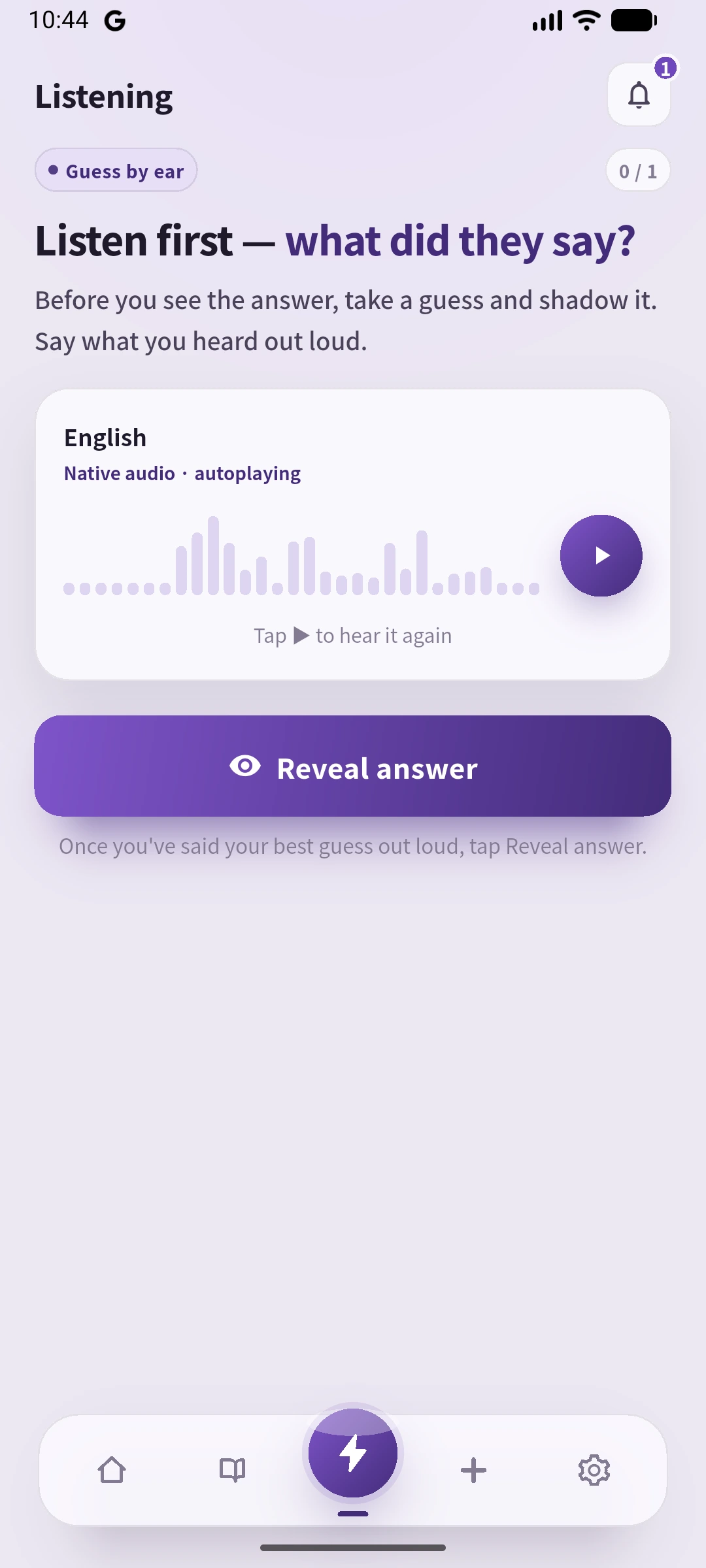
In this example, the model audio is AI-generated. Listen, say your best attempt aloud, then reveal the sentence and check the words you missed. Give it another try while looking away from the display. The writing check belongs earlier in the process; this session makes room for actually saying the line. Check in-app purchase terms in the US App Store listing or your local store.
Questions before choosing an English diary app
Can I keep practising without paying?
Yes: standard diary edits in LangJournal, general writing tasks in Write & Improve and reciprocal feedback in LangCorrect offer different free routes. Choose according to whether you need an immediate suggestion, a topic or a reader. Explanation limits and community participation still matter.
Should I choose AI feedback or a person?
AI suggestions are convenient for a quick revision you can check yourself. A person can discuss what you intended and how the sentence sounds to them. Community replies depend on participation, so allow time if you have a deadline.
Does SpeakGain grade my diary?
Choose a writing-feedback service for checking the diary. SpeakGain’s role in this guide is to practise hearing and saying a sentence after you have checked its meaning and wording.
Choose one place to write and one way to inspect a difficult sentence. Before adding another app, see whether that combination lets you finish a short entry and say something from it aloud.
Official references
Plan and feature links sit beside the corresponding claims above. The Cambridge writing tool explains its feedback process, and Busuu’s correction guide explains how community submissions work. Use the British Council grammar reference when checking the tense in the practice sentence.