
English pronunciation app comparison: 6 choices, free limits and custom text
Published Updated
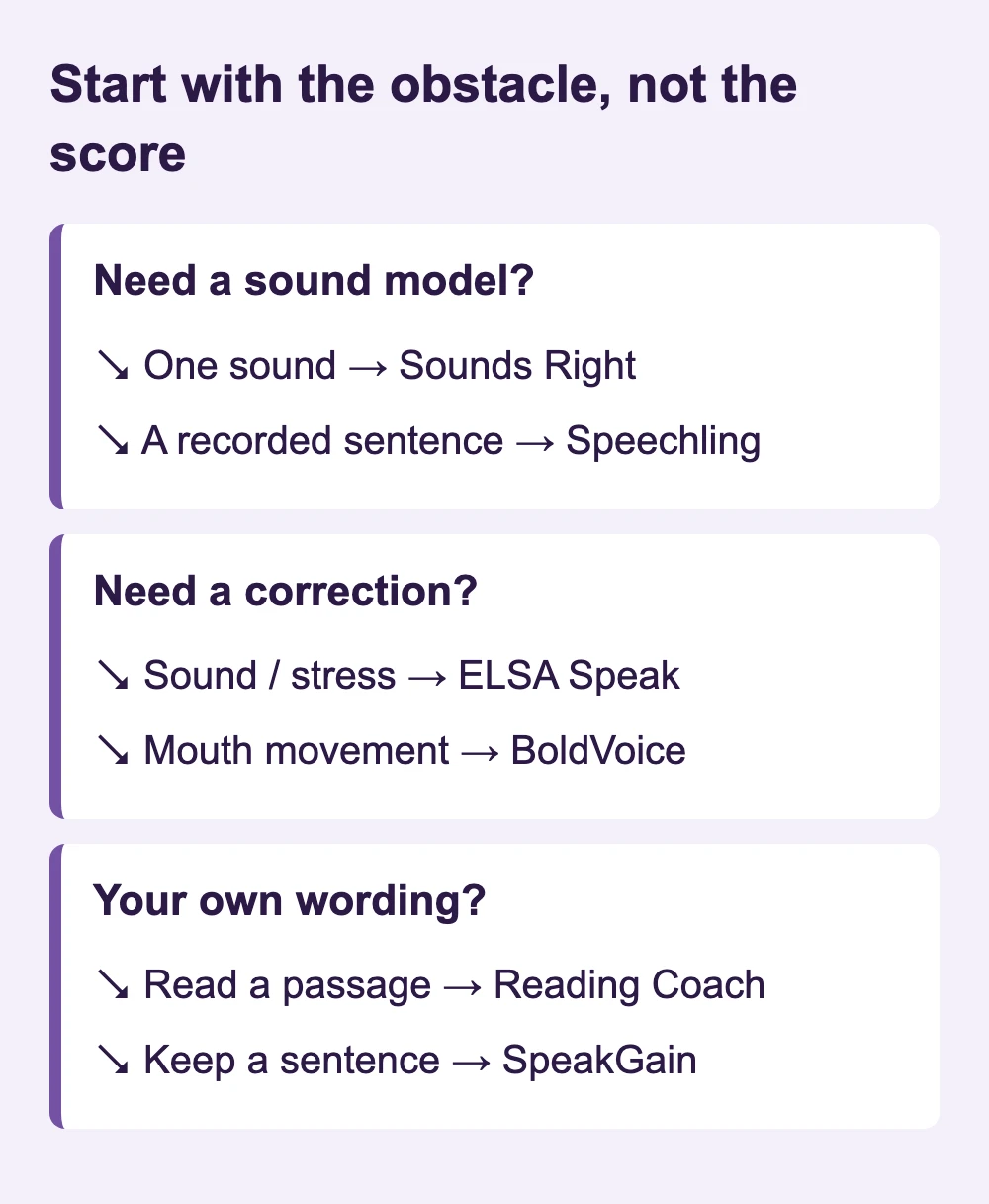
Choose ELSA Speak to identify troublesome sounds and word stress, or BoldVoice when you need a coach to demonstrate how to form a sound. For a free starting point, Speechling offers recording comparison and Microsoft Reading Coach checks words in passages you supply; Sounds Right is a free sound chart. SpeakGain suits sentences you want to retain for later speaking practice.
If you only need to hear how one word is pronounced, a dictionary recording is enough. This comparison is for choosing what to practise and how to inspect your own speech; a sound player and a pronunciation assessment perform different jobs.
Start with the obstacle, not the score
What each tool checks
Features and storefront entries inspected on October 30, 2026. Amounts below are US App Store entries, except Speechling’s USD web offer; a named annual item is a full-year charge.
| App | Feedback focus | Your own text |
|---|---|---|
| ELSA Speak | Individual sounds and word stress; Speech Analyzer also covers fluency and intonation | Yes: custom Study Sets |
| BoldVoice | Sounds, words and sentences, with articulation lessons | Yes: Practice your text |
| Speechling | Your comparison plus optional human coaching | Freestyle accepts speech; not a text-to-model generator |
| Reading Coach | Difficult words, reading accuracy, pace and time | Yes: paste a passage |
| Sounds Right | Sound chart for listening; no assessment | No: chart and supplied words |
| SpeakGain | Optional online word-level assessment | Yes: personal sentence cards |
Models, replay and the pronunciation target
| App | Model and recording replay | Mouth guidance / reference |
|---|---|---|
| ELSA Speak | Lesson audio and AI voice choices | Sound guidance; the product describes an American-accent learning target |
| BoldVoice | Coach videos; own/native voice comparison | Mouth diagrams and video demonstrations; American English |
| Speechling | Professional male/female recordings; side-by-side playback | Human coaching; English US/UK selection |
| Reading Coach | Immersive Reader audio and difficult-word practice | Reading support rather than articulation videos; multiple English dialects |
| Sounds Right | Recorded sounds and three examples per sound; no recording comparison | Chart arranged by mouth shape and articulation location; British-English sound chart |
| SpeakGain | Generated voices; recording and playback | Character and accent voice options; no sequential articulation course |
What is actually free?
| App | Free boundary | Observed paid entry |
|---|---|---|
| ELSA Speak | Limited core lessons; seven-day Pro/Premium trial | 1 Year Elsa Premium US$99.99 |
| BoldVoice | First lesson / preview; seven-day annual trial | 12 month Premium US$149.99 |
| Speechling | Curriculum, model voices and recording comparison; free coaching excludes English | Unlimited from US$19.99/month on the web |
| Reading Coach | Free with a Microsoft account | US$0 |
| Sounds Right | Free chart | US$0 |
| SpeakGain | 50 combined actions: card creation, translation and pronunciation scoring | US$9.99/month; US$79.99/year |
For a zero-subscription routine, use Speechling when you want to compare an entire recording, Reading Coach when you want difficult words pulled out of your own passage, and Sounds Right when a sound symbol is unfamiliar. ELSA’s limited lessons, BoldVoice’s preview and SpeakGain’s 50-action allowance are opportunities to try their workflow, not unlimited free coaching.
ELSA Speak: turn a vague problem into a target
ELSA’s listing names pronunciation and word-stress feedback, and lets you build Study Sets from your own words, phrases or sentences. That makes it relevant when you know the sentence but cannot locate the difficulty. Its Speech Analyzer adds a broader view of fluency and intonation; a word-stress lesson and a conversation analysis should not be treated as identical tests.
The current free-plan guide separates limited daily core lessons from unlimited paid practice. The US App Store entry “1 Year Elsa Premium” was US$99.99 on October 30, 2026.
BoldVoice: a visible explanation of the sound
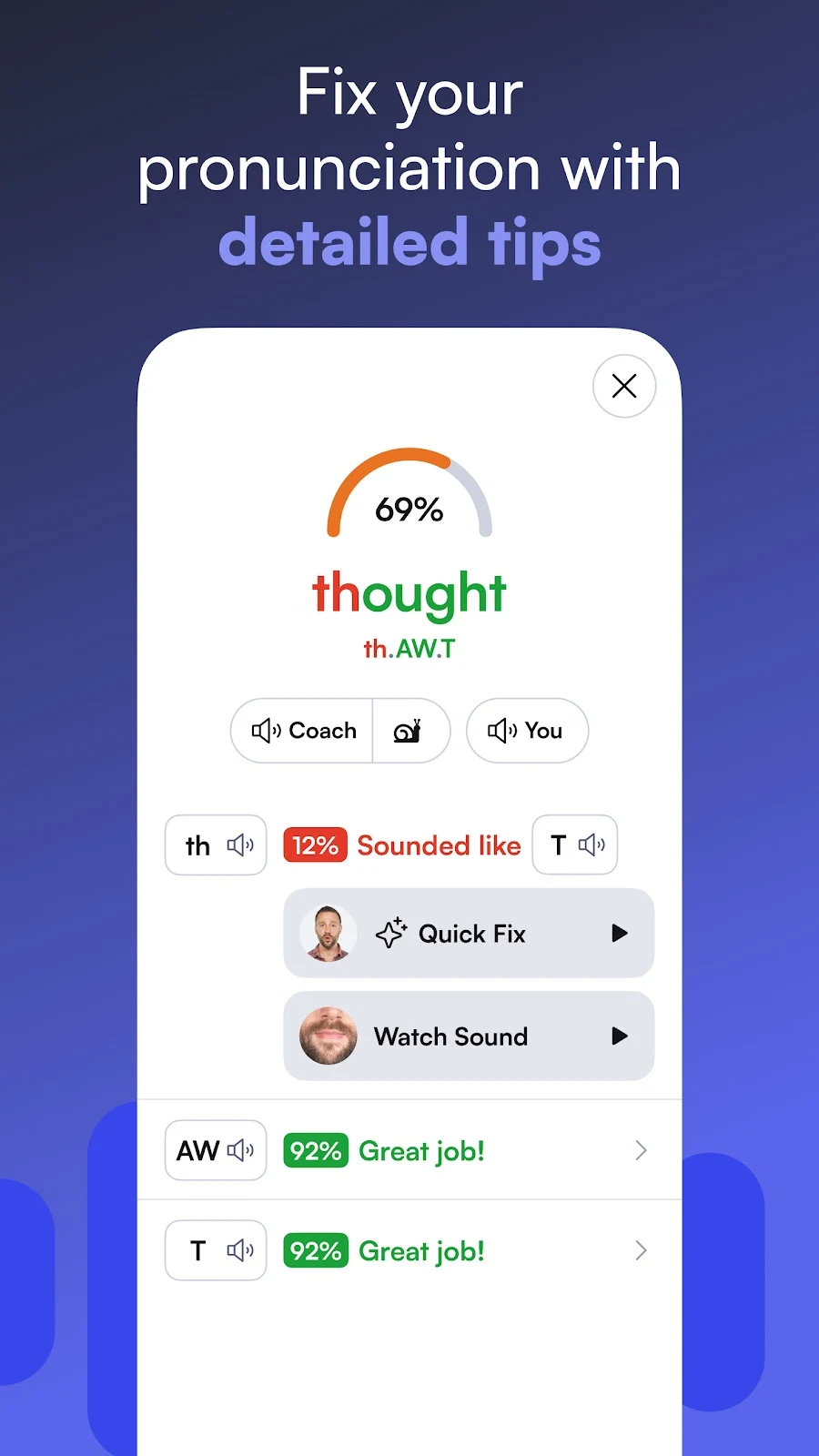
BoldVoice pairs sound-by-sound feedback with coach videos and interactive mouth diagrams. Its US listing also describes comparing your recording with a native voice. Pick it if an error highlight alone leaves you without a physical adjustment to try; it focuses on American pronunciation.
The official feature table includes “Practice your text”, so you can bring a work sentence rather than rely solely on prescribed drills. The free preview is narrow. The US store’s “12 month Premium” costs US$149.99; the annual trial lasts seven days. This is a better fit for learners wanting demonstrations than those seeking a permanently free course.
Speechling: make the two recordings easy to compare
Speechling’s free curriculum includes professional male and female model recordings and side-by-side comparison. Its quickstart shows separate playback controls for your voice and the model. This is useful for hearing whether an ending disappears or a pause moves, without needing an automatic phoneme score.
The skill tree also has Freestyle for your own speech, which is different from pasting text and receiving a newly generated model. Human coaching is the paid reason to upgrade for English: the free allowance of up to ten coaching sessions excludes English. Unlimited is advertised from US$19.99/month on the official web page.
Reading Coach: a free route for a passage you wrote
Microsoft Reading Coach accepts pasted passages, then identifies challenging words during reading. Its reports include accuracy, words per minute and reading time; difficult-word practice includes model audio through Immersive Reader. A personal Microsoft account is enough for free access.
For an adult preparing a short presentation, paste the passage you actually plan to read instead of asking the service to invent a story. It was designed as a reading-fluency tool, so choose it for passage practice rather than a detailed course on tongue placement or free conversation coaching.
Sounds Right: establish the sound before asking for correction
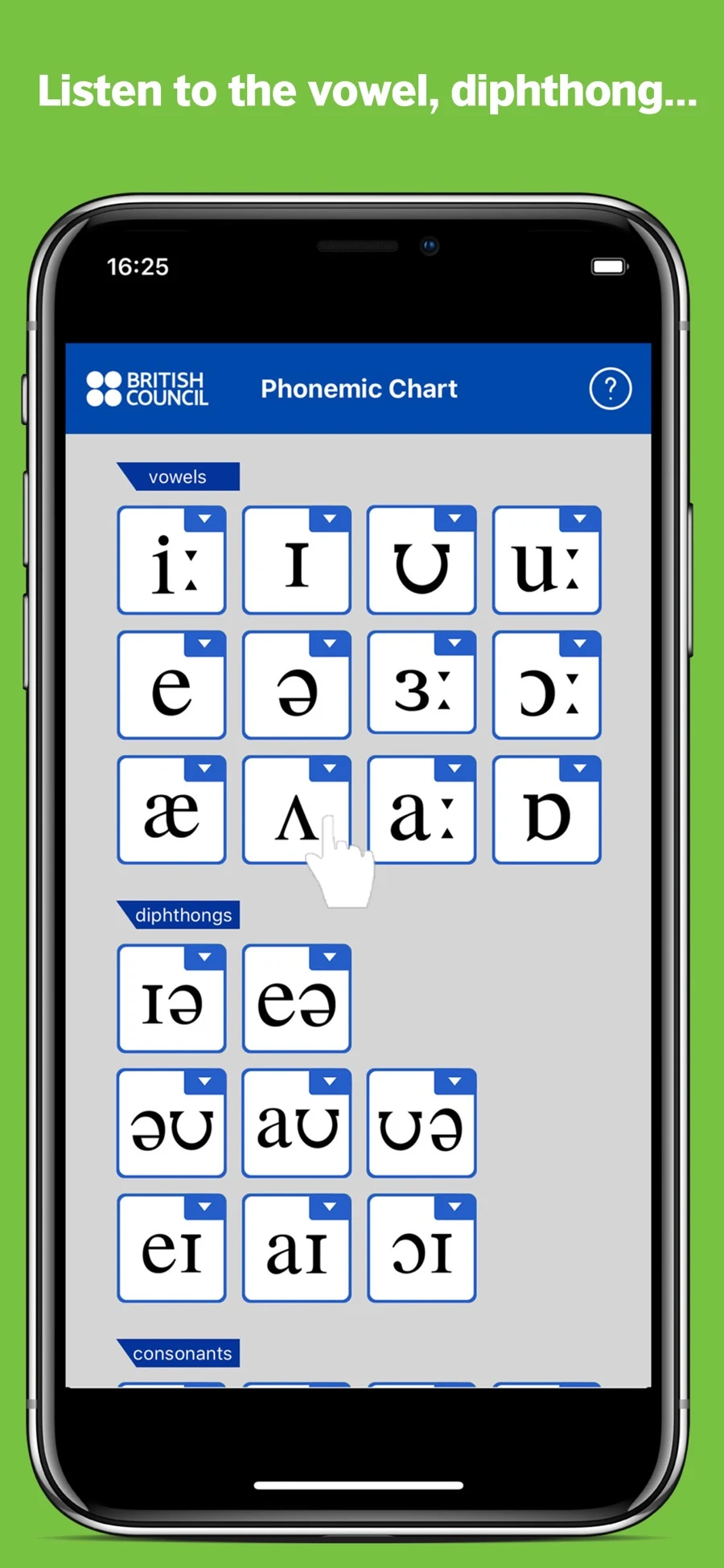
The British Council’s free chart plays a sound when tapped and supplies three example words. Vowels are arranged by mouth shape, while consonant placement follows where articulation happens. The app is offered for iOS and Android.
This is the listening reference in the shortlist, not an app that grades your voice. It is useful beside another recorder when you need to identify a symbol or compare a consonant before tackling a sentence. Do not choose it for custom-script assessment or word-by-word results.
SpeakGain: keep the wording you will need again
SpeakGain is developed by the team publishing this comparison. Its place in this list is persistent sentence practice: personal text, generated model audio, optional recording and online word-level assessment, followed by scheduled review. New cards, translations and pronunciation assessments draw from the same pool of 50 free actions.
This fits someone who needs a sentence next week as well as today. For a systematic sequence of mouth demonstrations, choose BoldVoice instead; SpeakGain’s character and accent voices provide listening models, not a phonetics syllabus. The US App Store lists Pro at US$9.99 monthly or US$79.99 annually.
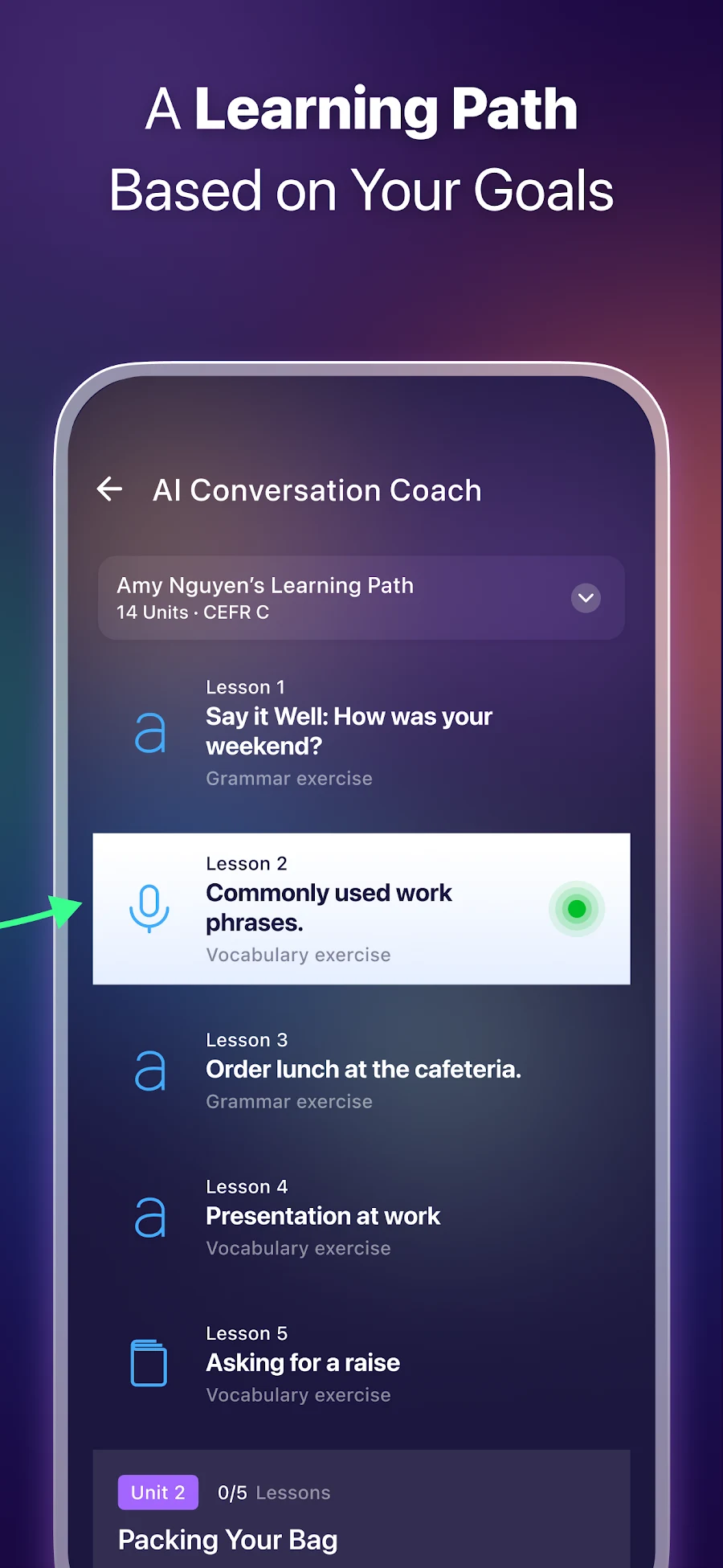
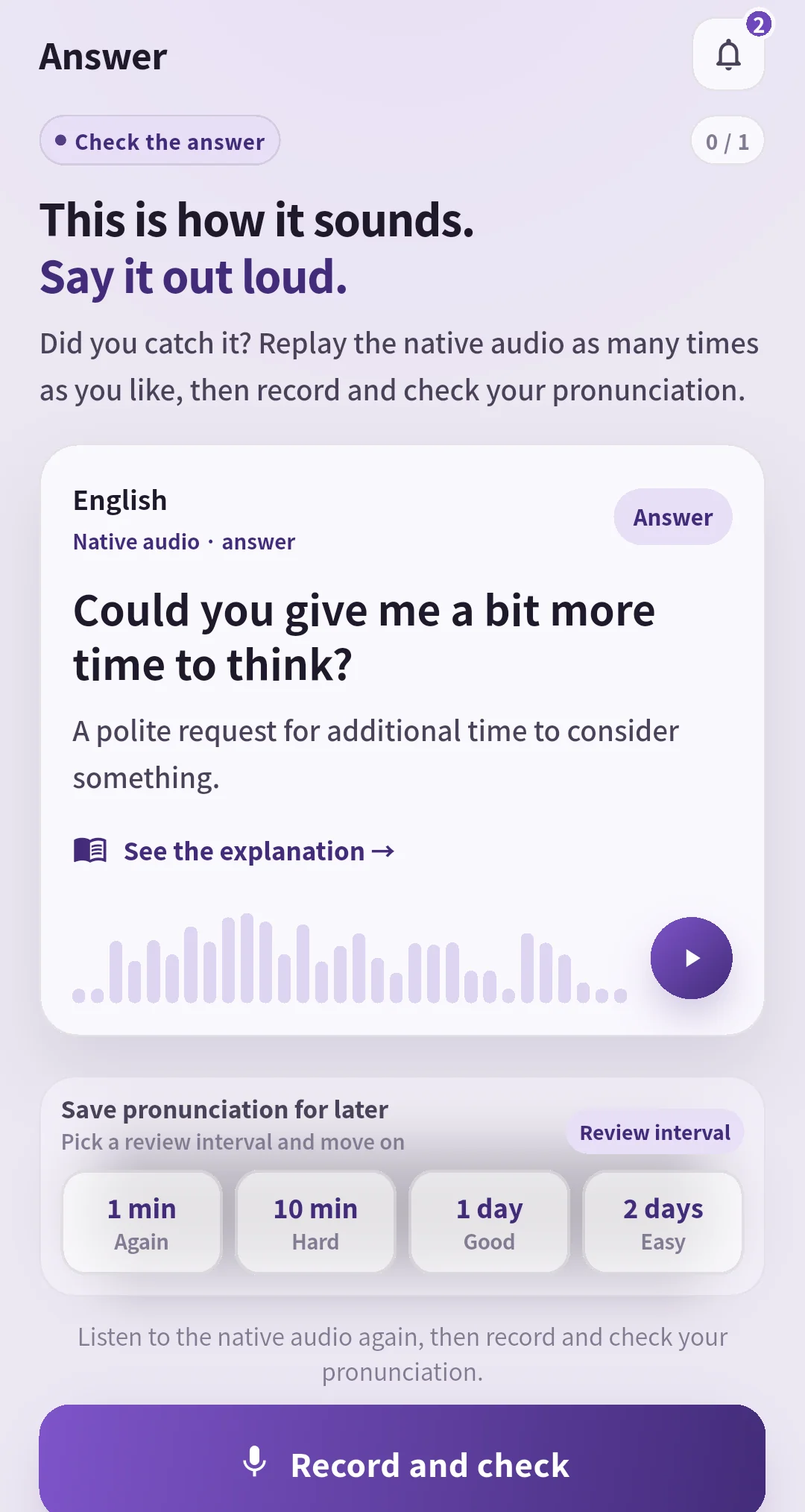
The example card asks “Could you give me a bit more time to think?” and offers audio and a review interval. Its 0/1 badge is session progress.
Can I check my own sentence? Try these two inputs
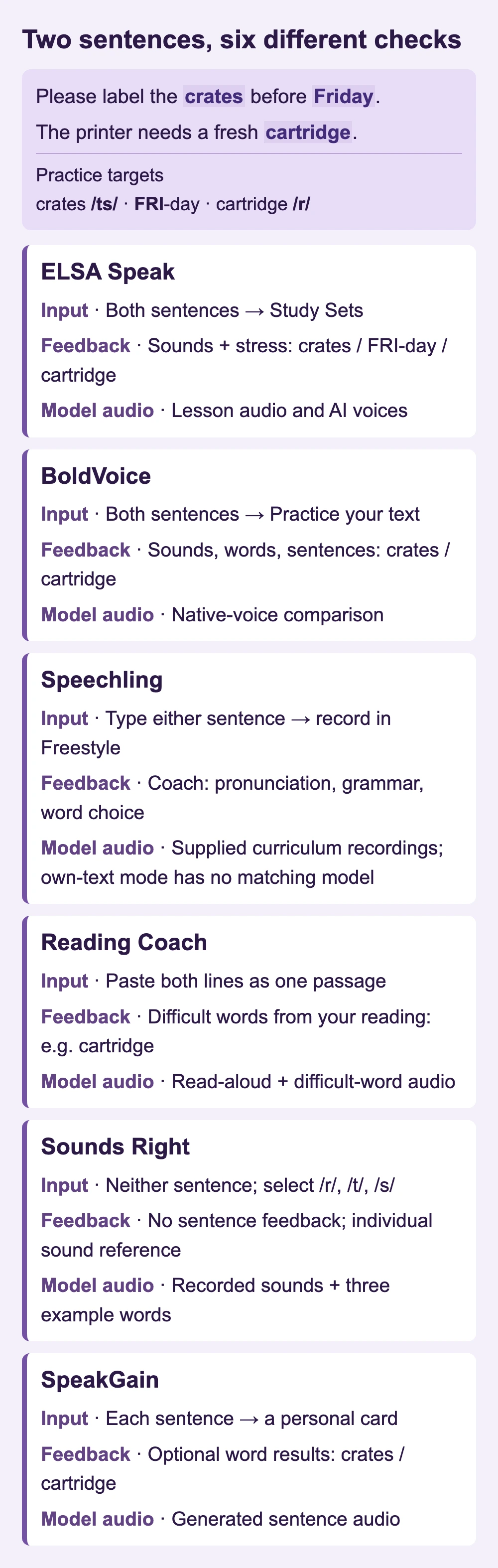
Use “Please label the crates before Friday.” to inspect the final consonants in “crates” and the stressed syllable in “Friday”. Use “The printer needs a fresh cartridge.” to decide whether you need help with the /r/ sound or with keeping the whole sentence moving.
Please label the crates before Friday.
The printer needs a fresh cartridge.
Add either sentence to ELSA’s Study Sets for pronunciation and word-stress guidance: the ending of crates and the first syllable of Friday are useful practice targets. BoldVoice’s “Practice your text” accepts both sentences and provides feedback on sounds, words and sentences, alongside model-voice comparison. Paste the two lines into Reading Coach to read them as a passage; its difficult-word practice isolates words to rehearse with audio.
Speechling Freestyle has a text box for what you want to say and sends your recording to a coach, who can address pronunciation, grammar and word choice. SpeakGain turns each line into a card with generated audio and optional word-level assessment, so crates or cartridge remains a whole-word result. Sounds Right accepts neither sentence: use its /r/, /t/ or /s/ buttons for individual sound references.
Questions before you pay
Which option is free for my own text?
Reading Coach accepts pasted passages for free with a Microsoft account. ELSA, BoldVoice and SpeakGain also accept personal material, but their free access has boundaries shown above.
Which app gives the most accurate score?
This comparison does not establish an accuracy ranking. Check the feedback unit and the pronunciation target first; a sound-level mark and a reading-fluency percentage answer different questions.
Should I continue until the screen says 100?
Stop when you cannot name a specific adjustment to try. For the crates sentence, ask a listener whether they heard one crate or several; that checks the message the final consonant carries.
Choose one job first
Use ELSA for sound and stress targets, BoldVoice for articulation demonstrations, Speechling for human-model comparison, Reading Coach for free custom-passage reading, or Sounds Right for a sound reference. Choose SpeakGain when retaining personal sentences for later speaking is the missing part. A useful first session leaves you able to name the change you will try next.